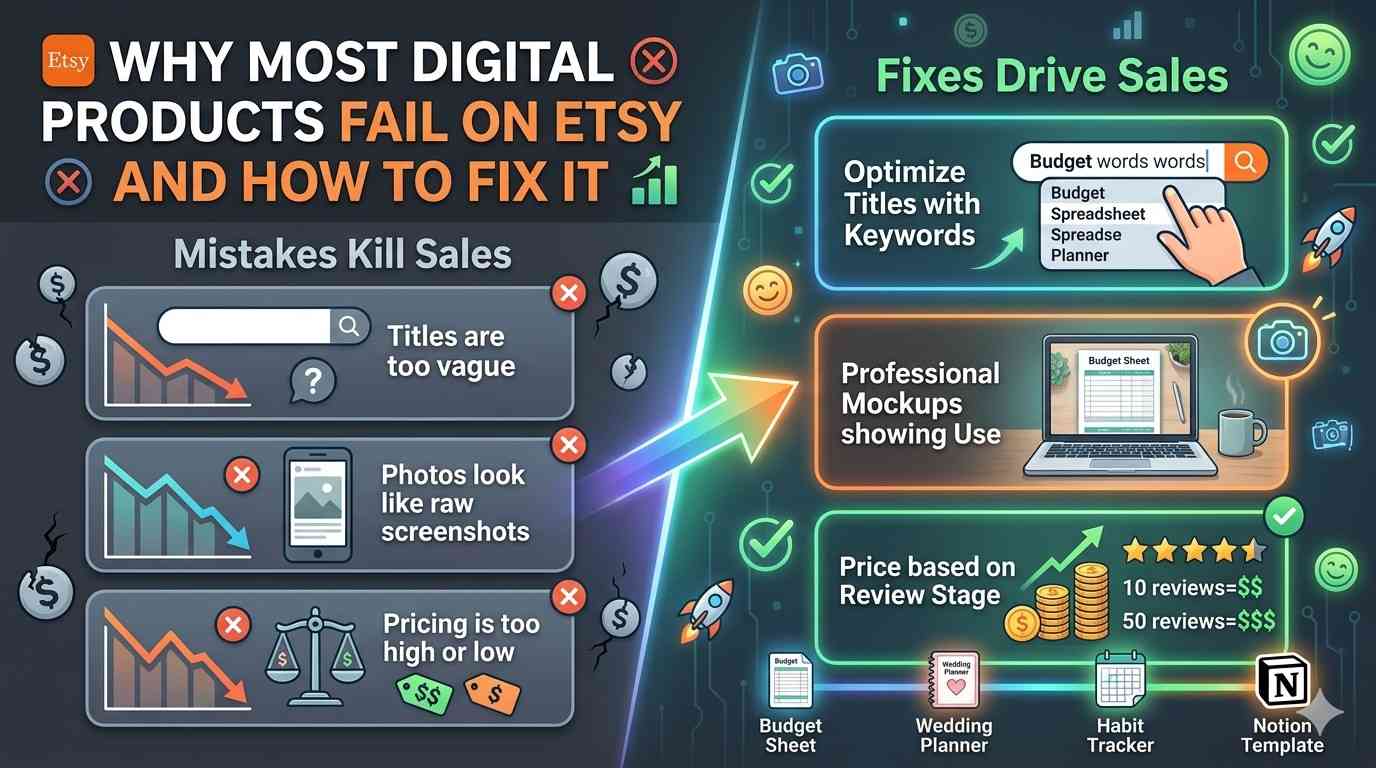
Why Most Digital Products Fail on Etsy (And How to Fix It)
Most digital products on Etsy never sell. Not because they are bad products. Because the creator made one of three easily fixable mistakes.
A budget spreadsheet that nobody buys might just need a better title. A wedding planner with zero sales might just need better photos. A habit tracker stuck at one sale per month might just be priced wrong.
Here are the three reasons digital products fail and exactly how to fix each one.
📦 Most creators blame the product. The product is usually fine. The packaging is the problem.
Mistake 1: The Title Is Too Vague
Why This Kills Sales
Etsy is a search engine. Buyers type words into a search bar. If your title does not contain the words they type, your product does not appear. It is that simple.
A title like "Budget Template" gets buried. A title like "Monthly Budget Spreadsheet Template for Google Sheets and Excel | Track Income and Expenses | Simple Finance Planner" appears in searches for "budget spreadsheet," "expense tracker," "finance planner," and "Google Sheets budget."
How to Fix It
Use the Etsy search bar as free research. Start typing your product type. Look at what Etsy autocompletes. Those suggestions are real searches from real buyers.
Type "budget" and Etsy suggests "budget planner," "budget spreadsheet," "budget binder," and "budget template." Those are your keywords.
Structure your title like this: Primary keyword first, then descriptive phrase, then secondary keywords separated by commas or pipes.
Good title: "Monthly Budget Spreadsheet | Track Income and Expenses | Google Sheets Template | Simple Finance Planner"
Bad title: "Budget Spreadsheet"
Include the file format in the title. Buyers want to know if it works with their software. "Google Sheets," "Excel," "PDF Printable," and "Notion Template" are all searchable terms that increase clicks.
Before and After Examples
| Before | After |
|---|---|
| "Wedding Planner" | "Wedding Planning Checklist |
| "Habit Tracker" | "Daily Habit Tracker Printable |
| "Content Calendar" | "Social Media Content Calendar |
💡 Spend 15 minutes researching titles before listing. Find 10 similar products. Study their titles. Which ones rank highest? Borrow their structure, not their exact words.
Mistake 2: The Photos Look Like Screenshots
Why This Kills Sales
Buyers cannot touch your digital product. They cannot flip through it. The photos are the only thing convincing them your spreadsheet or printable is worth buying.
A raw screenshot of cells in Google Sheets looks like a spreadsheet. A mockup showing that same spreadsheet on a laptop screen next to a coffee cup looks like a useful tool someone actually uses.
How to Fix It
Use product mockups. A mockup places your digital product into a realistic setting. A printable planner shown on a desk with a pen next to it. A spreadsheet shown on a laptop screen. A Notion template shown on an iPad.
Free mockup resources include Canva, which has built in device frames for laptops and phones, Placeit, which offers free mockup templates with their trial, and Freepik, which has free PSD mockups you can edit in Photopea.
Show multiple angles. Your first image should show the full product clearly. Your second image should zoom in on a specific feature. Your third image should show a different view, like a summary page or mobile version. Give buyers confidence that they know exactly what they are purchasing.
Include at least 5 photos. Etsy listings with 5 or more images consistently outperform listings with 1 or 2 photos. More images means more confidence, and more confidence means more sales.
What Good Photos Include
A clear full view of the main page or tab. A close up of a specific feature that makes your product useful. A view of a different page or section that shows versatility. An instruction page or welcome section if your product includes one. A lifestyle mockup showing the product in a realistic setting.
🖼️ Free tool recommendation: Photopea handles PSD mockup files for free. Download a free laptop mockup, drag your screenshot onto the screen area, and export as a professional looking product image.
Mistake 3: The Price Is Either Too Low or Too High
Why This Kills Sales
Price too high with zero reviews and nobody trusts you enough to buy. Price too low and buyers assume the product is low quality or incomplete.
There is a sweet spot that depends entirely on your review count.
How to Fix It
The review based pricing strategy works in stages. With zero reviews, price between $3.99 and $5.99. Low enough that people feel comfortable taking a risk on an unknown seller. The goal at this stage is not profit. It is getting the first 10 sales and reviews.
After 10 reviews with an average of 4 stars or higher, raise to $6.99 to $8.99. You now have social proof. Buyers trust that you deliver what you promise because other people confirmed it.
After 25 or more reviews, raise to $9.99 to $14.99. Your product is now established. The higher price signals quality. New buyers see dozens of positive reviews and feel confident purchasing.
After 50 or more reviews, you can charge $14.99 to $19.99 for premium products with more features or complexity.
Bundle pricing also works well. Sell a single template for $7.99. Sell a pack of 5 similar templates for $19.99. The bundle feels like a better deal even though you earn more per transaction.
Pricing by Product Type
| Product Type | Starting Price (0 reviews) | Established Price (25+ reviews) |
|---|---|---|
| Simple printable (1-2 pages) | $3.99 to $4.99 | $6.99 to $8.99 |
| Spreadsheet with formulas | $4.99 to $6.99 | $8.99 to $12.99 |
| Template pack (5+ designs) | $9.99 to $14.99 | $19.99 to $29.99 |
| Notion template (basic) | $12.99 to $17.99 | $24.99 to $34.99 |
| Notion template (all-in-one) | $19.99 to $29.99 | $39.99 to $74.99 |
⚠️ Do not change prices too often. Etsy's algorithm needs time to stabilize. Change prices once per month at most. Sudden frequent changes can hurt your search ranking.
How to Tell If Your Product Has a Title Problem
Open Etsy in an incognito browser window. Search for your product type using the words a real buyer would use. Does your product appear in the first three pages of results? If not, your title needs work.
Also check your Etsy stats dashboard. Low views but reasonable conversion means your listing appeals to people who find it but few people are finding it. This is a title and keyword problem.
How to Tell If Your Product Has a Photo Problem
High views but low conversion means people see your product but do not buy. The title is working because people are finding you. Something about the listing is stopping them from purchasing. Usually this is photos that look unprofessional or do not clearly show what the buyer receives.
How to Tell If Your Product Has a Price Problem
High views, good conversion, but sales are still low. This is less common but happens when the price is slightly too high for the perceived value. Try lowering by $2 and see if sales increase. If they do, the original price was the problem.
A Checklist Before You List Anything
Run through this list before publishing any new digital product.
The title contains primary keyword first and includes file format. At least five clear product images exist, including a mockup. The description specifies exactly what file types the buyer receives, how many pages or tabs are included, and whether any software is required. The price matches the review count stage. The first line of the description repeats the main keyword from the title.
📦 Most digital products that fail have nothing wrong with the product itself. A better title, better photos, or a better price is often the only difference between a listing that collects dust and one that sells weekly.
Audit your existing listings against this checklist. Fix the weakest area first. Wait two weeks. Check if views or sales improved.